
Bring Learning Home with Voice, Sensors, and Everyday Moments

Today we dive into smart home assisted learning, using voice assistants and IoT for continuous education that blends naturally into routines. Imagine breakfast quizzes delivered hands‑free, gentle reminders triggered by lights, and micro‑lessons presented when you enter a room. We will explore how voice, sensors, and smart automations transform spare minutes into meaningful progress, while keeping privacy, accessibility, and motivation in focus. Share your experiences, subscribe for fresh experiments, and help us shape a living, breathing learning environment that grows with you.

Micro‑lessons Triggered by Daily Routines

Start a language flashcard when you open the blinds, or review a formula while the kettle boils. These brief sessions respect attention limits, minimize setup time, and capitalize on habit loops. Set consistent cues and reward completion with a cheerful acknowledgment. Over a week, the accumulated minutes grow into noticeable gains without dedicated blocks. Share your favorite trigger moments, and we’ll suggest a routine that pairs your goals with your home’s rhythm for steady, satisfying progress.

Conversation Design That Teaches, Not Just Answers

Great learning interactions are more than one‑shot answers; they guide, probe, and adapt. Structure voice prompts with follow‑up questions, reflective pauses, and quick checks for understanding. Offer examples, analogies, and gentle hints before revealing solutions. If a response is uncertain, invite a simpler attempt, then build up. This conversational scaffolding mirrors supportive tutoring, yet remains brief enough for busy households. Tell us where your conversations stall, and we’ll craft prompts that nudge deeper thinking without overwhelming.

Sensors as Study Partners

Presence sensors, contact sensors, and smart buttons become subtle teachers. A hallway motion event can cue a one‑minute recap; a desk button press can start a focused ten‑minute session; leaving the house can trigger an audio summary. Sensors reduce the cognitive overhead of starting, reinforcing momentum and context. Combine them thoughtfully to avoid overload. Which devices already live in your rooms? Map them to learning cues, and report back on the most delightful, low‑effort interactions you discover.

From Wake Word to Aha Moment
The journey from a wake word to insight depends on clarity, timing, and empathy. Voice assistants shine when prompts are concise, expectations clear, and feedback immediate. Build routines that kick off learning at natural pauses—after timers, during transitions, or between chores. Encourage active recall instead of passive listening, and celebrate attempts, not perfection. Over time, you’ll craft a cadence that feels friendly, not bossy. Comment with a tough moment in your day, and we’ll suggest a voice flow that fits.

Crafting Prompts and Follow‑Ups

Effective prompts highlight purpose, set scope, and request action. Start with a brief goal, ask an answerable question, and propose a next step if silence follows. Use consistent phrasing so family members learn the rhythm and expectations. Offer optional deeper dives on demand. Example: “Two‑minute recap on climate systems—what drives ocean currents?” If no reply, provide a hint, then reveal the answer and one connection. Share a subject you love, and we’ll draft a ready‑to‑use prompt set.

Error Recovery and Misunderstandings

Misheard words happen. Design graceful exits and retries that keep confidence high. If transcription fails, repeat back what was heard, offer choices, or shift to a simpler question. Maintain a supportive tone and avoid shaming. Consider on‑device keyword shortcuts to reduce ambiguity. Keep logs of failed interactions to refine phrasing and microphone placement. Tell us about your most common misunderstanding, and we’ll recommend layout tweaks or vocabulary adjustments that restore flow and keep learning enjoyable.

Orchestrating Devices, Data, and Standards

Interoperability makes everything smoother. Standards like Matter and Zigbee reduce fragmentation, while platforms such as Home Assistant, Apple Home, Alexa, and Google Home coordinate devices and routines. Decide what runs locally for privacy and responsiveness versus what benefits from cloud capabilities like advanced speech models. Keep your data formats tidy so lessons, logs, and reminders travel across rooms and apps. Share your current setup and constraints, and we’ll propose an architecture that grows gracefully without locking you in.

Motivation, Habits, and Joyful Friction

Momentum grows when progress feels visible and effort feels gentle. Use ambient cues—subtle light colors, short tones, or encouraging voice snippets—to celebrate completion. Habit science suggests stacking new behaviors onto stable routines and rewarding consistency. Introduce “joyful friction”: tiny prompts that make the right action slightly easier than skipping. Rotate novelty to prevent fatigue. Invite friends or family to join collaborative streaks. Tell us what motivates you, and we’ll propose cues and rewards that genuinely resonate.
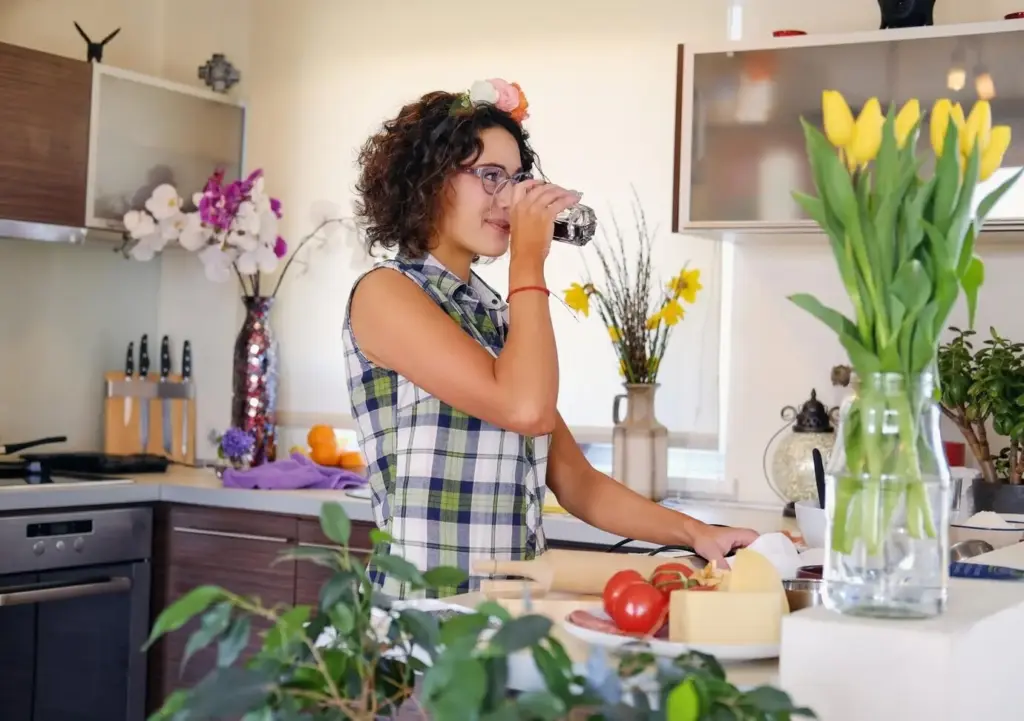
Cooking time becomes prime review time. While pasta simmers, practice vocabulary or rehearse key definitions. Timers provide natural intervals for retrieval practice. Keep questions short, answers spoken, and difficulty adaptive. If a timer ends mid‑question, pause and resume gracefully. Post a photo of your kitchen layout, and we’ll suggest speaker placement and microphone tips that keep interactions clear over clatter, turning routine meal prep into a surprisingly effective study session with minimal extra effort.
Rather than screens, let lights softly pulse to mark milestones, or play a brief melody after a streak. Avoid frantic cues; keep signals calm and affirming. Weekly summaries can arrive by voice on a chosen morning. Family members might earn shared rewards for collective consistency. If anyone opts out, respect it immediately. Suggest your preferred celebration style—sound, color, or words—and we’ll tailor gentle nudges that lift motivation without pressure, supporting longevity over short bursts of forced enthusiasm.
Anchor a five‑minute group quiz after dinner or a weekend reflection during cleanup. Rotate hosts so each person shares something learned. Voice assistants can facilitate fairness, randomize questions, and keep time. Keep it friendly, not competitive. For younger learners, celebrate curiosity over correctness. For adults, tie reflections to goals. Tell us about your household’s rhythms, and we’ll help script rituals that foster encouragement, mutual accountability, and a shared identity that views growth as a joyful, ordinary part of home life.

Accessibility, Inclusion, and Multilingual Support

A learning home welcomes every voice and body. Offer alternative input modes—voice, buttons, switches, and apps—and adjustable speaking rates. Provide transcripts, high‑contrast visual indicators, and tactile confirmations. Support multiple profiles and languages so content adapts to age, reading level, and comfort. Respect neurodiversity with predictable routines and optional quiet modes. Ask each person for preferences and consent. Describe your household’s accessibility needs, and we’ll recommend configurations and phrasing that keep learning empowering, dignified, and delightful for everyone involved.

Privacy, Consent, and Trust at Home

Trust sustains long‑term use. Be explicit about what is recorded, where it lives, and how it is deleted. Prefer local processing when feasible, anonymize summaries, and make opt‑out one command away. Use profiles to separate histories, and protect minors with strict defaults. Post transparent change logs so the household knows what automations do. If something feels intrusive, pause and rethink. Share your red lines and expectations, and we’ll help configure safeguards that honor boundaries while keeping learning meaningful.

Minimization and Transparency

Collect only what you need for the immediate learning moment. Provide clear dashboards showing recent interactions, stored snippets, and retention timelines. Offer one‑tap deletion and routine‑level privacy toggles. On shared devices, avoid personalized summaries unless explicitly requested. Announce when recording begins and ends. Publish a plain‑language privacy note for your household. Tell us your comfort level, and we’ll suggest configurations that minimize exposure while preserving enough signal to personalize sessions and track progress responsibly over time.

Safeguards for Kids and Guests

Default to conservative data handling with children and visitors. Disable sensitive logging, filter content by rating, and restrict purchases or external links. Provide a simple guest mode with temporary permissions that expire automatically. For kids, use guardian‑approved content lists and time windows. Reinforce consent by confirming before saving any responses. Describe your household traffic patterns, and we’ll outline boundaries that keep everyone safe and comfortable without reducing the sense of wonder and agency that makes learning engaging.

Audit Trails and Control

Maintain a private audit trail of automation changes, routine triggers, and data flows so issues can be investigated and corrected. Offer per‑person review of interactions for coaching or deletion. Ensure there’s always a physical off switch and a voice command that disables sensitive features. Regularly test fail‑safes. Share how you want oversight to work, and we’ll propose a simple governance model that balances convenience with accountability, supporting long‑term trust in your learning environment.

Getting Practical: Tools and Starter Blueprints

Start simple and iterate. Use no‑code builders for initial routines, then expand with scripts as confidence grows. Combine Home Assistant or Apple Shortcuts with Alexa or Google routines for cross‑room prompts. Connect Anki decks, podcast snippets, and article‑to‑audio conversions. Measure participation and mood lightly, focusing on weekly reflection over raw streaks. Share your device list and goals, and we’ll recommend a first blueprint, then refine it together as your home’s learning personality emerges naturally.

No‑Code Automations to Start Today

Create a morning review routine kicked off by a wake‑up alarm, a lunchtime fact over a timer chime, and an evening reflection tied to a lamp switch. Use built‑in routines, scenes, and schedules to orchestrate everything. Keep prompts short and outcomes obvious. After a week, prune what feels noisy and amplify what delights. Post your first success story, and we’ll suggest two incremental upgrades that fit your household’s energy and attention patterns without adding complexity too quickly.

Developer Paths for Custom Skills

When you’re ready, build lightweight skills or actions that integrate personalized content, smart sensors, and progress tracking. Use webhooks, Node‑RED, or serverless functions to stitch components. Cache frequent phrases locally to improve responsiveness. Guard secrets, validate inputs, and rate‑limit external calls. Start with a single narrow capability, prove value, then broaden. Share your stack preferences and comfort level, and we’ll outline a roadmap that balances experimentation with maintainability and responsible, privacy‑aware engineering practices.

Kuzutirazitipixu
Privacy Overview

This website uses cookies so that we can provide you with the best user experience possible. Cookie information is stored in your browser and performs functions such as recognising you when you return to our website and helping our team to understand which sections of the website you find most interesting and useful.